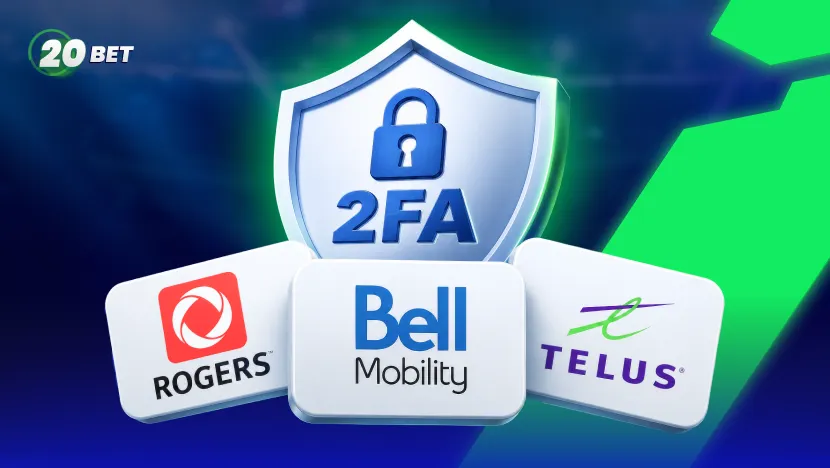
Two-factor authentication (2FA) puts a second lock on your account. Even if someone steals your password, that lock holds. 20Bet publishes no step-by-step setup path for 2FA, though its own guidance refers to players who have enabled extra authentication via SMS, email, or an app.
What most players actually encounter is automatic: when the site spots an odd sign-in, it emails you a one-time password (OTP) and asks for that security code alongside your password. SMS shows up mainly at registration, when you activate your phone number, not at 20Bet login.
This guide walks through 20Bet login verification for players in Canada: how the emailed security code reaches you, how to activate your mobile number by SMS and where Rogers, Bell, and Telus trip people up.
Why 20Bet May Ask You to Confirm Your Login
So what sets off that email? A sign-in that breaks your usual pattern. 20Bet’s own guidance points to a few triggers: suspicious activity, a new device or unfamiliar IP, a VPN that masks your location, a recent password change, or a pending 20Bet cashout. When any one of them is flagged, the security code lands in your inbox before the session opens.
What You Need Before Setting Up 20Bet Login Verification
A little prep saves headaches. You need the email tied to your account settings, since every code lands there, and the mobile number you registered, typed without a zero, plus sign, or country code.
Use a phone that can receive SMS verification for activation, pick a strong password you use nowhere else, and if you play on mobile, switch on device security like Face ID or a fingerprint.
How to Set Up Two-Factor Authentication on 20Bet
20Bet does not publish a 2FA setup wizard, so “setup” here means clearing the path so every check reaches you.
- Confirm the email on your account: Every login security code lands there, and it anchors your account recovery.
- Activate your mobile number: Enter it with no leading zero, no plus sign, no country code, then confirm the SMS code.
- Turn on biometrics in the app: Face ID or a fingerprint adds device security on top of your password.
- Ask support about an authenticator app: 20Bet’s guidance mentions extra authentication via an app; live chat is the fastest way to find out more.
- Stop signing in over a VPN: A masked IP nudges 20Bet into extra checks you did not need.
After that, each time you log in somewhere unfamiliar, a one-time password arrives in your email, and you enter it beside your password.
What Happens When You Log In With 2FA Enabled?
With that in place, the 20Bet login runs in two beats. First, your login credentials — the email address you registered with and your password. 20Bet does not support social sign-in through Google or Facebook. If something looks off, 20Bet emails a one-time password, and you enter that security code into the current screen.
Move fast, because it expires quickly and only the newest one works. On a familiar device, you will not be asked very often at all.
Not Receiving a 20Bet SMS Code? Start Here
When a code does not show, the first question is which code. 20Bet login codes travel by email, and activation codes are sent by SMS, where carrier message filtering quietly gets in the way. Run down this table first.
| Problem | Likely cause | What to do |
| No email login code | In spam, or the wrong email saved | Check spam; confirm the email in account settings; mark 20Bet safe |
| Code late, then expired | Delivery delay, or a reused code | Request a fresh security code; enter only the newest |
| No SMS activation code | Carrier message filtering or a blocked sender | Allow the short code in your carrier app |
| Number will not activate | Entered with 0, plus sign, or country code | Re-enter it without them, then confirm it is correct |
| Code goes to old phone | Old mobile number still on file | Update it, or ask customer support |
Rogers SMS for 20Bet Verification
Take Rogers first, since SMS here is about activating your mobile number. Cover the basics: no zero, plus sign, or country code, plus signal and texting on your plan. Then dig into Rogers message filtering and any blocked sender list in MyRogers, because a short code can vanish without a trace.
Rule out a blocking app on the handset. And if you moved to Rogers recently, confirm the number porting finished, since texts often stall mid-transfer.
Bell SMS for 20Bet Verification
Bell follows the same logic. Enter the number in 20Bet’s format, confirm texting is live, then check Bell’s message filtering, which can swallow a short code or flag an unknown blocked sender; sort it in MyBell or through customer support. If you’ve swapped your SIM card recently, make sure the new SIM card is provisioned first.
Telus SMS for 20Bet Verification
Telus rounds out the three. Confirm SMS verification is possible on your plan and that you have coverage; check the content-blocking that can strip a short code, and turn off any message filtering apps. When travelling, make sure texts still land while roaming.
Rogers vs Bell vs Telus: Common SMS Verification Issues
Strip away the branding and the three carriers fail the same few ways. Short code filtering hides an activation text; fix it in the carrier app. Number porting snaps the thread mid-transfer. A dual SIM phone can fire the code down the wrong line, so point SMS at the right SIM card.
One reminder cuts through it all: your 20Bet login codes come by email, so a missing login prompt is an inbox problem, not a network one.
What to Do If the Verification Code Has Expired
Those security codes die young by design. Pull a fresh one and use the newest one on your screen. Sync your phone’s clock to automatic date and time, since 20Bet flags a drifting clock as a common cause of failures. If emails keep arriving late, check your spam folder and mail rules.
What to Do If You Changed Your Phone Number
This one has a clear answer from 20Bet. Still holding your old mobile number? Log in and change it in your account settings.
Lost it? Email customer support with identity verification documents, and they will update the number and walk you through account recovery.
Using 20Bet 2FA While Travelling Outside Canada
That email-first design pays off the moment you leave the country. Because 20Bet login codes go to your inbox, a 20Bet confirmation reaches you anywhere you can check email, no Canadian signal required.
SMS is the piece that needs care: turn on roaming before you fly, or a local SIM card cuts your Canadian number loose. Expect the odd extra prompt too, since a foreign IP looks unfamiliar.
Keep Your 20Bet Account Secure After Setup
2FA does a lot, but it works best with a few habits on top. Reach the site only through its official URL with the padlock showing, and use your one password nowhere else. Treat phishing with suspicion; any email or text rushing you to log in deserves a second look, and never read your security code aloud. Keep your browser and app current to shore up your device security.
When to Contact 20Bet Support Instead of Your Mobile Provider
Your carrier, whether Rogers, Bell, or Telus, owns SMS delivery, so a blocked activation text, a porting snag, or roaming trouble goes to them.
20Bet customer support owns the rest: a login code that never emails, a mobile number you cannot reach anymore, a locked account, or a stuck 20Bet cashout. Bring your email, rough account age, and a screenshot.
Responsible Gambling
Betting should be entertainment, not a way to make money. Gambling can be addictive—only bet what you can afford to lose, and never chase your losses. Set deposit, loss, and time limits before you play, and take regular breaks.
If gambling stops being fun or starts affecting your finances, relationships, or wellbeing, seek help immediately.
Support available across Canada:
- Responsible Gambling Council: responsiblegambling.org (national resource center)
- British Columbia: Call 1-888-795-6111 (24/7)
- Alberta: Call 1-866-332-2322 (24/7)
- Quebec: Call 1-800-461-0140 (24/7, bilingual)
- Saskatchewan: Call 1-800-306-6789 (24/7)
- Manitoba: Call 1-800-463-1554 (24/7)
- Atlantic provinces: Call 1-800-461-1234 (NB), 1-888-429-8167 (NS), 1-855-255-4255 (PE), 1-888-899-4357 (NL)
- Additional support: Gambling Therapy (gamblingtherapy.org), Gamblers Anonymous (gamblersanonymous.org)
- 988 Suicide Crisis Helpline: Call or text 988
20Bet provides responsible gambling tools in your account settings, including deposit limits, loss limits, time limits, cool-off periods, and self-exclusion. Use them.
Age restrictions: You must be 19 or older to gamble in British Columbia, Saskatchewan, and Atlantic provinces. You must be 18 or older in Alberta, Manitoba, and Quebec. Underage gambling is illegal.
20Bet is licensed and regulated by the Kahnawake Gaming Commission. For more information about responsible gambling practices and support resources, visit the Responsible Gambling section on 20Bet.

FAQ
Does 20Bet have two-factor authentication?
Yes, though mostly in automatic form. 20Bet emails a security code when a sign-in looks suspicious, and you enter it next to your password. Its login guidance also refers to extra authentication via SMS, email, or an app, and to biometrics with the 20Bet app — but no setup walkthrough is published. Contact live chat to enable an authenticator app.
Why is my 20Bet verification code not arriving?
For 20Bet login, the code is in your email, so check spam and confirm the address in your account settings. For SMS activation, message filtering or a blocked sender is usually holding it, so adjust your carrier settings.
Can I use a Rogers, Bell, or Telus number for 20Bet verification?
Yes, for activating your mobile number. Enter it without the country code, and clear the short code if your carrier is filtering it. Your login security code still arrives by email either way.
Can I receive a 20Bet SMS code while outside Canada?
For login, you do not need SMS at all, since the code is emailed to you anywhere. For SMS activation, switch on roaming first, because a local SIM card can block your Canadian number.
How do I change the phone number connected to my 20Bet account?
You can change it yourself in account settings. If it is gone, contact customer support with identity verification documents to update the number and restore access.


Related Posts
See All-
 11/03/26
20Bet Withdrawal Options Explained: Fastest & Safest Payout Methods
Step-by-step guide to 20Bet payouts. Find out why your withdrawal is pending, how to pass KYC verification, and the minimum/maximum withdrawal limits for 2026.
-
 16/03/26
20Bet Casino New Releases: Best Games to Try Right Now
Read about the latest 20Bet casino games, including high-RTP slots like Dr. Luck (98.5%) and new live dealer tables. Discover trending titles and expert gameplay tips.
-
 19/03/26
20Bet VIP Login Guide: Get More From Your Loyalty & VIP Rewards
Stop missing out on 20Bet loyalty points. See how to unlock 30 VIP levels automatically, get 5x wagering on sports bonuses, and reach the $100k grand prize.
-
 02/06/26
How to Deposit Using Interac e-Transfer at 20Bet
Learn how to make instant, secure Interac e-Transfer deposits at 20Bet. Step-by-step guide on CAD limits, processing times, and bank verification rules.
Choose a language Done Subscription successful! Stay tuned for our exciting news and offers.
Error We’re sorry, something went wrong. Please try again later.